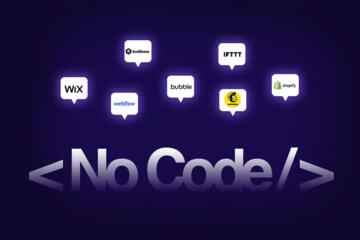
No-Code and Low-Code Explained
No-code and low-code platforms reduce the dependency on traditional programming. No-code tools let users drag, drop, and connect elements visually to build apps and automations without any coding. Low-code platforms allow some coding, usually to customize or extend functionality beyond visual components. For instance, a business analyst used Airtable's no-code features to create a customer database, while a developer added scripts in OutSystems, a low-code platform, to tailor workflows. As of 2023, Gartner estimates 65% of app development efforts will use these platforms.
These tools appeal across industries—from marketing automations to internal HR portals—and often integrate with APIs and databases. You conserve developer hours by giving non-technical staff direct creation power.
Here is the key: The difference lies in customization freedom versus coding skills requirement.
Common Misunderstandings
People confuse no-code with trivial drag-and-drop or expect it to replace all software development. That’s not how these tools work. No-code often struggles with complex logic or scalability; low-code requires developers to know platform-specific scripting. Ignoring these limits leads to questionable architecture and maintenance headaches later.
Consider a startup that rushed to build a product solely on no-code recently—it hit a wall when needing advanced processing, which, frankly, most no-code platforms don’t support well.
The biggest impact emerges when you mistake these tools for quick fixes rather than long-term components requiring governance and strategy. Mismanaging that risks bloated systems and duplicated efforts.
Effective Approaches
Start With Clear Goals
Define what problems you want to solve first. Precise goals reduce wasted effort on trial features. It works because you avoid feature bloat and keep stakeholders aligned. For example, a team identified only automation needs in customer support and used Zapier (no-code) to reduce ticket routing time by 50% in three months.
Choose Platform by Skill Level
PICK no-code if your team lacks software training. PICK low-code if you want some coding options but lack capacity for full development cycles. This choice prevents wasted time on overly complex tools that frustrate users or too basic tools that limit needed functions.
Consider Integration Needs
Check if the tool connects with your current software ecosystem. Tools like Microsoft Power Apps (low-code) integrate deeply with Office 365, while Bubble (no-code) offers extensive plugin options. Integration gaps cause disconnected data flows and manual workarounds.
Test for Performance Limits
Run pilot projects and watch for speed or scaling issues. For example, Webflow (no-code) performs well for marketing sites but may choke on complex database queries. You want to catch issues before full deployment.
Monitor Security Risks
These platforms sometimes expose data externally—review their compliance posture like GDPR or HIPAA. You can easily overlook security configurations, which result in leaks or breaches.
Train Your Team
Train users on the specific tool’s capabilities and limits. Many stop after initial tutorials, which leads to inefficient design and risky workarounds.
Set Governance Rules
Establish clear ownership and maintenance processes. This helps prevent fragmented apps and outdated workflows scattered across departments.
Iterate and Optimize
Expect constant refinement based on user feedback and usage data. These platforms evolve fast—stay updated with new features and versions like Airtable’s June 2023 update adding advanced automations.
Build Hybrid Models if Needed
Combine both worlds; use low-code for core apps and no-code for tactical automations. This hybrid method handles scale while empowering staff.
Example Users and Outcomes
A regional bank struggled with loan processing delays that averaged 7 days. They built a low-code app using Mendix, adding custom validation and workflow steps, cutting approval time to 48 hours, increasing customer satisfaction scores 20% within six months.
Meanwhile, a non-profit used no-code tool Adalo to launch a volunteer signup app in under three weeks. Without hiring developers, their volunteer work tripled over a year, even though the app lacked advanced analytics.
Choosing the Right Tool
| Tool Type | Skill Req. | Best Use | Limitations |
|---|---|---|---|
| No-Code | Minimal | Simple apps, automations | Complex logic, scale |
| Low-Code | Some coding | Custom apps, workflows | Learning curve, cost |
| Traditional Dev | High | Complex, scalable apps | Time, cost |
Typical Pitfalls to Avoid
Skipping due diligence on platform limits causes project stalls. For example, some skip testing API response times—this leads to slow apps under load. Another trap: ignoring maintenance responsibility post-launch, which results in forgotten or orphaned tools. Avoid the temptation to cram all features in one no-code app. It rarely works the way the docs say. Separate concerns and build smaller modules.
Shunning training is a silent killer. Without context, users misuse the platform and waste time. Set clear standards on data usage or duplication to prevent inconsistencies and errors.
FAQ
What distinguishes no-code from low-code?
No-code platforms require zero coding skills, relying on drag-and-drop interfaces. Low-code tools allow some scripting to extend or customize apps.
Can I build enterprise apps with no-code?
Small to medium enterprise apps are possible, but no-code lacks complex logic and scalability needed for large systems.
Are no-code/low-code apps secure?
Security depends on platform compliance and configuration. Review vendor certifications and apply user controls.
Which industries benefit most?
Service industries, startups, marketing, HR, and education sectors rapidly build solutions with these tools.
Do these tools replace developers?
Not entirely. They complement developers by accelerating common tasks and enabling business users.
Author's Insight
I've used Airtable and Appgyver to build workflows with cross-functional teams. Hands-on experience shows clear communication and governance trump technical brilliance. No-code tools let anyone start projects, but without setup, chaos follows. Low-code strikes balance but demands developer involvement, which organizations often underestimate. My advice: pilot small, then scale carefully.
Summary
No-code and low-code platforms offer distinct advantages by reducing traditional programming needs. Avoid pitfalls by matching tool choice to skills and project scope, integrate thoroughly, and enforce governance. Test, train, and monitor continuously. Use case studies and checklists to guide selection and manage risks. Most of all, keep your eyes on clear goals and user needs to reap their benefits without regrets.