Navigating the Landscape of Instantaneous Data Visibility
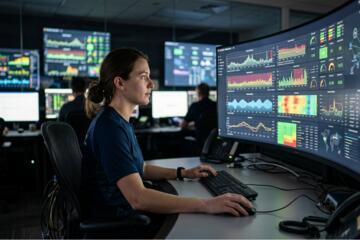
At its core, a system for real-time monitoring is not just a dashboard; it is a continuous feedback loop that captures, processes, and visualizes system state changes as they occur. Unlike traditional batch processing, where logs are analyzed hours after an incident, these systems utilize stream processing to identify anomalies within milliseconds. This is the difference between seeing a fire on a security camera as it starts versus finding the ashes the next morning.
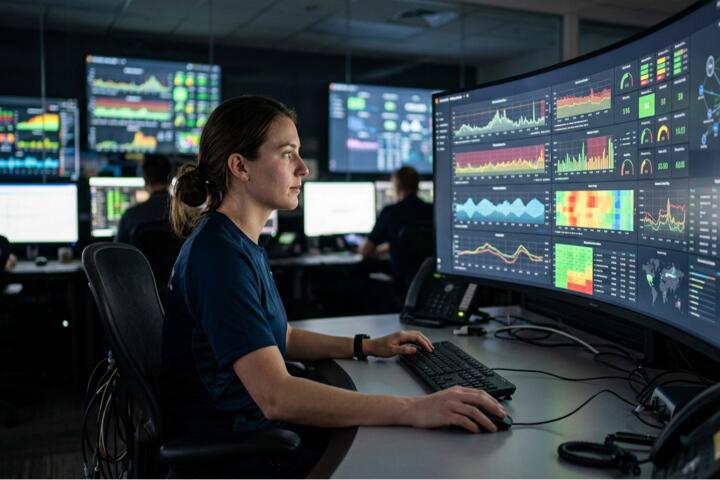
In a practical DevOps environment, this looks like a Kubernetes cluster using Prometheus to scrape metrics every 15 seconds. If a pod’s memory usage spikes toward its limit, the system doesn't just record it; it triggers an alert via PagerDuty or scales the replica set automatically. In the financial sector, high-frequency trading platforms use tools like KDB+ to monitor market data feeds, where "real-time" is measured in microseconds (10-6 seconds).
The stakes are quantifiable. According to research from Gartner, the average cost of IT downtime is $5,600 per minute, though for Fortune 500 companies, this figure often exceeds $500,000 per hour. Implementing a low-latency monitoring stack is no longer an "extra" feature; it is a foundational requirement for business continuity.
Common Friction Points in Observability
Many organizations fall into the trap of "dashboard fatigue." They collect petabytes of data but lack the context to make it actionable. A common mistake is monitoring too many metrics without a clear hierarchy. When 50 different alerts fire simultaneously during a minor network hiccup, the "noise" prevents engineers from identifying the "signal" or the root cause.
Another significant pain point is the "Observer Effect," where the monitoring tools themselves consume so many resources that they degrade the performance of the application they are supposed to protect. For example, excessive logging in a Java application can lead to high disk I/O, causing the very latency spikes the team is trying to avoid.
Finally, there is the issue of data silos. The network team uses one tool, the developers use another, and the security team has a third. When an outage occurs, these teams spend the first 30 minutes arguing over whose data is correct. This lack of a "Single Source of Truth" is the primary reason for high Mean Time to Repair (MTTR).
Strategic Solutions for High-Precision Monitoring
To build a resilient monitoring ecosystem, you must move beyond simple "Up/Down" checks. The goal is deep observability through the integration of metrics, logs, and traces.
1. Implement Multi-Dimensional Metric Collection
Don't just track CPU usage. Use Dimensional Data (labels or tags) to categorize metrics by region, service version, or customer tier. Using a tool like Datadog or Grafana, you can create heatmaps that show not just average latency, but the 99th percentile (p99). This reveals the experience of your most frustrated users, which averages tend to hide.
-
Result: A p99 focus typically leads to a 30% improvement in perceived user experience because you are fixing the "outlier" bugs that cause the most pain.
2. Transition to Distributed Tracing
In microservices architectures, a single user request might pass through 20 different services. Traditional logging won't show you where the bottleneck is. Tools like Jaeger or Honeycomb use "trace IDs" to follow a request from the frontend to the database.
-
Action: Integrate the OpenTelemetry standard. It allows you to switch backend providers (from New Relic to Dynatrace, for example) without rewriting your instrumentation code.
3. Establish SLOs and Error Budgets
Stop alerting on every 500-error. Instead, define a Service Level Objective (SLO)—for example, "99.9% of requests must succeed over a rolling 30-day window."
-
Why it works: It aligns engineering and product teams. If you have "Error Budget" left, you can ship new features. If the budget is exhausted, everyone focuses on stability. This approach, pioneered by Google SRE teams, reduces burnout by eliminating non-essential alerts.
4. Automated Incident Response
Integrate your monitoring tool with an orchestration platform like Ansible or Terraform. If a disk reaches 90% capacity, the system should automatically trigger a script to clear temporary caches or expand the volume before an admin even wakes up.
-
Tools: Use AWS CloudWatch Alarms to trigger Lambda functions for self-healing infrastructure.
Mini-Case Examples
Case 1: Global E-commerce Platform
-
The Problem: During a "Black Friday" event, the checkout service slowed down. Standard metrics showed "Green" because average CPU was fine, but 5% of users couldn't pay.
-
The Action: The team implemented Real User Monitoring (RUM) via Sentry. This allowed them to see JavaScript errors happening on specific browser versions in real-time.
-
The Result: They identified a broken API call in the legacy "Internet Explorer" shim. MTTR was reduced from 4 hours (previous year) to 12 minutes.
Case 2: FinTech Payment Gateway
-
The Problem: Mysterious "micro-outages" occurring every day at 2:00 PM, lasting only 10 seconds.
-
The Action: Deployed eBPF-based monitoring (using Cilium) to observe kernel-level network packets without adding overhead.
-
The Result: Discovered a scheduled backup task in a sidecar container was saturating the network interface. Moving the backup to 4:00 AM saved the company an estimated $80,000 per month in failed transaction fees.
Tooling Comparison and Selection Matrix
| Feature | Prometheus (OSS) | Datadog (SaaS) | Zabbix (Enterprise) |
| Primary Strength | Kubernetes & Cloud Native | Full-stack visibility & AI | Legacy hardware & SNMP |
| Data Retention | Short-term (requires Thanos) | Long-term included | Highly configurable |
| Setup Effort | Moderate (Config as Code) | Low (Agent-based) | High (Database heavy) |
| Cost Model | Free / Hosting costs | Per-host / Per-log GB | Free / Support costs |
| Best For | Engineering-heavy teams | Rapidly scaling startups | Industrial/On-premise |
Frequent Mistakes in Live Oversight
One of the most expensive errors is Over-Instrumenting. I once saw a team logging every single database query in a high-traffic app. This resulted in a $40,000 monthly bill from their logging provider and a 15% drop in application throughput. Always sample your logs; you don't need 100% of "200 OK" responses to understand system health.
Another mistake is Static Thresholding. Setting an alert for "CPU > 80%" is primitive. Modern systems experience "peaks" during business hours. A static alert will wake you up every Monday at 9:00 AM. Instead, use Anomaly Detection (available in Azure Monitor or Elasticsearch). These algorithms learn your "normal" weekly patterns and only alert if the current behavior deviates from the historical baseline.
Finally, neglecting Security Monitoring within the same stack. Real-time monitoring isn't just for performance. If you see a sudden spike in outbound traffic to an unknown IP, that's a data exfiltration event. Tools like Wazuh or Splunk can correlate performance drops with security threats.
FAQ
1. What is the difference between monitoring and observability?
Monitoring tells you when something is wrong (the "symptom"), while observability allows you to understand why it is wrong by looking at the internal state of the system through logs, metrics, and traces.
2. How much overhead does a monitoring agent add?
A well-designed agent (like Telegraf or Datadog Agent) typically consumes less than 1–3% of CPU and 100MB of RAM. However, improperly configured "deep" profiling can increase this significantly.
3. Can I use real-time monitoring for compliance?
Yes. Regulations like PCI-DSS and HIPAA require continuous monitoring of access logs. Tools like LogRhythm help automate the auditing process for these standards.
4. Is open-source or SaaS better for monitoring?
Open-source (Prometheus/Grafana) offers total data control and no licensing fees but requires significant "man-hours" to maintain. SaaS (Datadog/New Relic) is "plug-and-play" but can become very expensive as your infrastructure grows.
5. What is "Cardinality" and why does it matter?
Cardinality refers to the number of unique values in a dataset. High cardinality (e.g., tracking metrics by "User_ID") can crash some time-series databases. Use high-cardinality data in logs or traces, not in basic metrics.
Author's Insight
In my 15 years of managing distributed systems, I’ve learned that the best monitoring system is the one your team actually trusts. If your Slack channel is flooded with "Warning" messages that everyone ignores, you have no monitoring at all—you have "Alert Fatigue." My advice: delete any alert that doesn't require an immediate, specific action. A clean, quiet dashboard that only turns red when the business is truly at risk is infinitely more valuable than a complex one covered in meaningless graphs. Focus on the user's journey, not just the server's pulse.
Conclusion
Building an effective real-time monitoring environment requires a shift from simple data collection to strategic observability. By prioritizing p99 latencies, embracing distributed tracing, and utilizing anomaly detection, organizations can safeguard their digital assets against unpredictable failures. Start by auditing your current alert noise and consolidating your data silos into a unified platform. The goal is clear: gain the insight needed to fix problems before your customers even realize they occurred.